

Aplicaciones digitales de escritura para Apple
Con las Apps adecuadas, podrá disfrutar de todo el potencial del LAMY safari note+ y descubrir la variedad de funciones de Digital Writing: descubra Apps para tomar notas, organizar y calcular, diseñar, dibujar y esbozar, jugar, pintar y componer.
Nuestras Apps asociadas
Descubra aquí las Apps de nuestros socios. Se trata de Apps que se adaptan exactamente a las posibilidades del LAMY safari note+. Con estas aplicaciones podrá disfrutar de toda la gama de funciones: teclas de función configurables individualmente, sensibilidad a la presión y mucho más.
Design your way with Linearity Curve
Linearity Curve es la plataforma más conveniente para un diseño gráfico eficiente y de alta calidad, en la oficina o mientras viaja.
Características: todas las funciones básicas, más: teclas de función configurables, sensibilidad a la presión

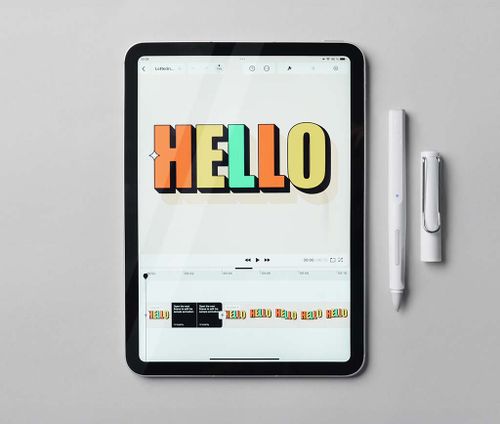
Linearity Move Animation Maker
Linearity Move le permite producir animaciones vectoriales de alta calidad internamente en minutos.
Características: todas las funciones básicas, más: teclas de función configurables
Calculator Max
Calculator Max facilita los cálculos simples y complejos. Ofrece calculadoras en un paquete cuidadosamente diseñado, ordenado y fácil de usar.
Características: todas las funciones básicas, más: teclas de función configurables

Charcoal
Charcoal te permite visualizar ideas. Es simple y se centra en lo que importa.
Características: todas las funciones básicas, más: teclas de función configurables

Stift: Calender for iPad
Olvídate del teclado, ¡aquí puedes llenar tu agenda fácilmente con un bolígrafo!
Características: todas las funciones básicas, más: teclas de función configurables

Bulletpoint
Bulletpoint convierte al instante tus resaltados en viñetas y utiliza la inteligencia artificial para generar tarjetas de estudio personalizadas. Crea resúmenes a la velocidad a la que lees, cuestiona la información y aprende de manera más eficiente.
Características: todas las funciones básicas, más: teclas de función configurables
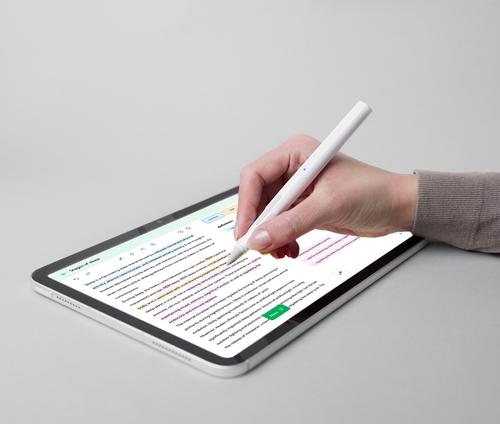
Voovo
Utilice el poder de la repetición espaciada y el recuerdo activo con tarjetas didácticas digitales sin la dificultad de crear tarjetas didácticas digitales.
Características: todas las funciones básicas, más: teclas de función configurables

Nuestra App para el LAMY safari note+
El LAMY safari note+ es el primer lápiz que se desarrolla y mejora constantemente: utilice siempre la última versión de su firmware con la App "LAMY safari note+" y convierta su LAMY safari note+ en el mejor LAMY safari note+.

Otras Apps que recomendamos
El LAMY safari note+ tiene una gran ventaja: gracias al uso del “Pencil Protocol” de Apple no se requiere instalación ni configuración para la mayoría de las funciones. Simplemente enciéndalo y comience a funcionar de inmediato, funciona junto con todas las aplicaciones (todas las funciones excepto: sensibilidad a la presión y asignación de teclas de función). Nos gustaría ofrecerle las siguientes aplicaciones:

GoodNotes
Reemplaza tus cuadernos de papel por Goodnotes y sumérgete en el mundo de las notas digitales.
Características: todas las funciones básicas

Milanote
Milanote es una herramienta fácil de usar para organizar tus ideas y proyectos en tableros visuales.
Características: todas las funciones básicas

Nebo
Crea hermosas notas y documentos profesionales a mano, esboza ideas en un espacio de trabajo infinito. Con la mejor inteligencia artificial del mundo para el reconocimiento de escritura a mano.
Características: todas las funciones básicas
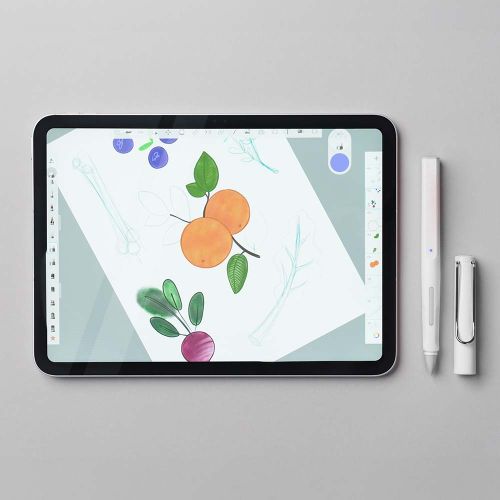
Sketchbook®
Nunca se sabe cuándo surgirá una gran idea ni adónde nos llevará. Desde bocetos rápidos hasta obras de arte terminadas, Sketchbook® te acompaña en tu viaje creativo.
Características: todas las funciones básicas


Verificación de compatibilidad
El LAMY safari note+ es compatible con los iPad desde 2018. En esta tabla encontrará una lista detallada de todos los modelos exactos:
6. Gen., 9.7" ("iPad 9.7") | 7. Gen., 10.2" ("iPad 2019") | 8. Gen., 10.2" ("iPad 2020") | 9. Gen., 10.2" ("iPad 2021") | 10. Gen., 10.9" ("iPad 10") | 11. Gen., 11" ("iPad A16")
3. Gen., 11" & 12.9" | 4. Gen., 11" & 12.9" | 5. Gen., 11" & 12.9" ("M1 iPad Pro") | 6. Gen., 11" & 12.9" ("iPad Pro M2")
3. Gen., 10.5" | 4. Gen., 10.9" | 5. Gen., 10.9" ("iPad Air M1") | 7. Gen., 11" & 13" ("iPad Air M3")
5. Gen., 7.9" ("iPad mini 5") | 6. Gen., 8.3" ("iPad mini 6")
Preguntas frecuentes sobre las Apps
Todas las funciones del LAMY safari note+ excepto la sensibilidad a la presión y la asignación de las teclas de función funcionan inmediatamente y sin necesidad de instalación o configuración en ningún iPad compatible. Es importante que ni un Apple Pencil ni un lápiz óptico de otro fabricante estén emparejados con el iPad. Por favor, desincronícelos primero.
El LAMY safari note+ se empareja en los ajustes de la aplicación correspondiente. La ubicación exacta puede variar de una aplicación a otra. El emparejamiento solo es posible en aplicaciones de nuestros socios.
El LAMY safari note+ está diseñado para funcionar perfectamente directamente en la pantalla del iPad. Sin embargo, las pruebas han demostrado que a menudo funciona incluso con muchas diapositivas.
La razón más común para esto es que un Apple Pencil o un lápiz óptico de terceros están emparejados con el iPad. Desempareje e inténtelo de nuevo.
Para developers: Prepare su App para el LAMY safari note+
El LAMY iPadOS SDK es un framework gratuito para iPadOS que le proporciona las herramientas necesarias para integrar en sus Apps una amplia experiencia para realizar bocetos al utilizarlo con la línea de lápices Bluetooth de Lamy. Incluye soporte para las siguientes funciones: sensibilidad a la presión, teclas de función y nivel de batería.
También proporcionamos plantillas y componentes Figma para la configuración de la interfaz de usuario.

Digital Writing Software: How to use the right apps to unlock the full potential of your LAMY iPad pen
Welcome to the world of digital writing at LAMY. Here, the timeless aesthetics of a classic LAMY writing instrument meet the limitless possibilities of modern technology. Whether in a lecture theatre, a business meeting or a studio: the right digital writing software is at the heart of your effective workflow on the iPad.
Writing is more than just recording information; it is a cognitive process. Time and again, it has been shown that we internalise content better when we write it down by hand.
Note-taking app. Design app. Organisation app: experience a world of possibilities on your iPad
Partner apps as digital writing software from Apple offer an impressive variety of options for digital writing.
But which app really suits your LAMY safari note+ and your individual requirements and needs?
We have categorised the most important applications for you.
Some of these writing apps (iOS) are specifically optimised to harness the full potential of the LAMY safari note+, including the customisable function keys and the Pressure sensitivity of the tip.
In addition to these partner apps, we also recommend well-known classics for digital writing, which are ready to use straight away via the ‘Apple Pencil Protocol’ (albeit without the special key features):
Note-taking apps
Goodnotes: As Apple’s standard note-taking app, it stands out with its classic notebook structure. Replace your paper notebooks and step into the world of digital notes!
Nebo: Renowned for the world’s best handwriting recognition. Make use of the infinite workspace and create notes and documents by hand with this app.
Milanote: A visual tool for organising projects and creative ideas on your iPad in the form of a visual board.
Creativity & Design
Linearity Curve: This app is a dynamic tool for graphic design and illustration. With the LAMY safari note+, you can utilise full precision when drawing to create fine brushstrokes and complex illustrations. You can use it, for example, to edit photos with AI support or design logos.
Linearity Move: Linearity Move makes it easy to animate graphics. The LAMY safari note+ pen helps you animate static designs. Here too, the pen’s function buttons support a fast workflow between ‘Animate’ and ‘Design’ modes.
Charcoal: For anyone who wants to focus on the essentials. Charcoal is an app for sketching and visualising ideas. It is kept simple and utilises the pen’s configurable function keys.
Sketchbook: Ideal for creatives: from quick idea sketches to finished works of art.
Productivity & Organisation
Handwritten pen calendar for iPad: This app puts an end to typing in appointments. You can organise your entire schedule by hand, just as if you were using a traditional paper calendar. The integration of the LAMY safari note+ makes planning even more efficient thanks to the customisable buttons.
Calculator Max: A modern calculator that solves both simple and complex calculations with an attractive design. Partner integration allows you to perform calculations smoothly and control shortcuts directly via the pen.
Learning & Education
Bulletpoint: An innovative tool for school and university students. Highlights in texts are converted directly into bullet points. Using AI, the app creates personalised flashcards and summaries from your notes, making learning significantly more efficient.
Voovo: This app is based on the active recall method. It allows you to create digital flashcards in a flash, without wasting unnecessary time on formatting. The LAMY safari note+ supports you in this by enabling quick navigation via the function keys.
No matter which app you choose for writing on your iPad with our LAMY pen: with the right digital writing software, you can take your possibilities to a whole new level.
Analogue meets digital
Digital writing is not an alternative to analogue writing, but its logical evolution. With the right digital writing software in a suitable app and a LAMY safari note+ at your side, the boundaries between the analogue and digital worlds become blurred.
Discover our selection of partner apps now and find the app that will revolutionise your daily life, your workflow or your creativity.
FAQ
Many of the professional apps mentioned by LAMY offer free basic versions or trial periods. For example, users can create up to three notebooks for free with Goodnotes.
Yes. Thanks to the Apple Pencil Protocol, the pen works with almost any iPad app (e.g. Goodnotes, Procreate or Apple Notes) for all basic functions such as writing and drawing. Only the button assignments and pressure levels are usually not active in these apps.
Yes, the LAMY safari note+ app. This is used to keep the firmware up to date, ensuring your writing instrument remains compatible with the latest app updates.