
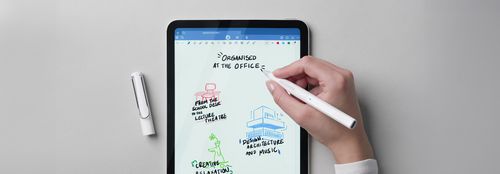
Digital writing instruments for Apple iPad
An unmistakable design, perfect ergonomics and the highest quality make the LAMY safari note+ a real writing instrument for the digital world – a stylus suitable for everyone who is at home in the Apple world.
Iconic design meets ergonomics in four colours
The LAMY safari note+ is the only one in its class with an ergonomic design and a cap to protect the tip. It is available in several colours.
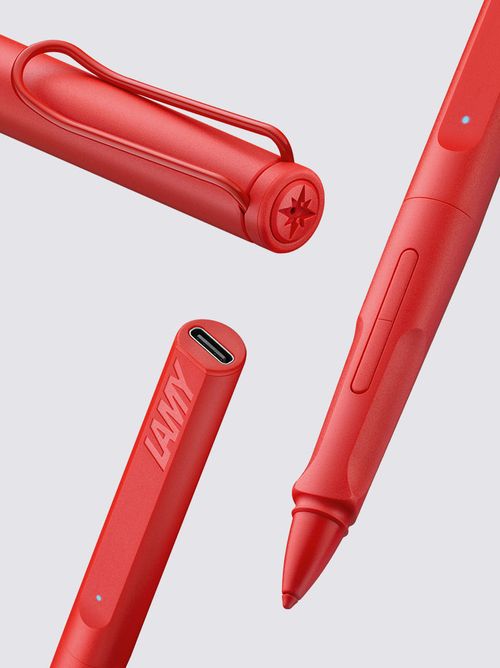
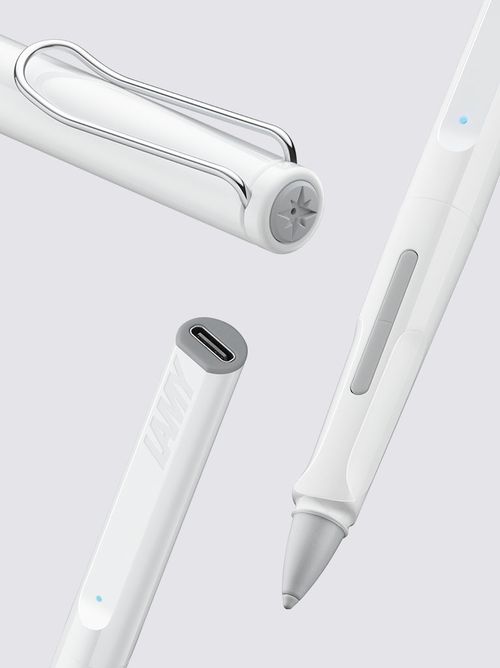
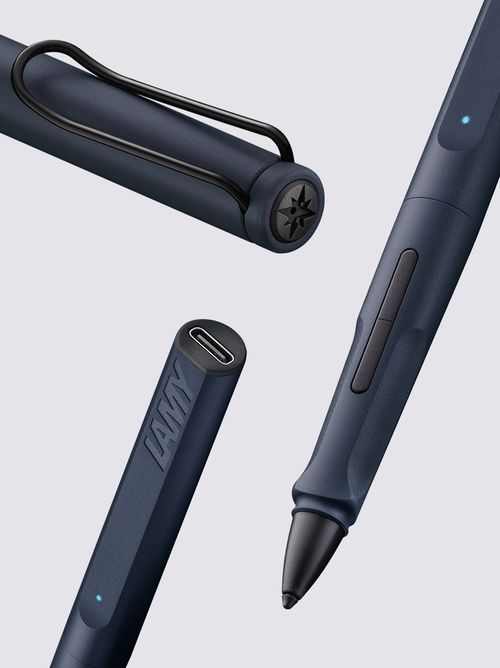

Simply switch it on and get started: whether you want to draw, paint, organise, edit pictures, cut videos or play games – the LAMY safari note+ is a versatile companion for everyday use, at work, university or school for using a wide range of apps on an Apple iPad.
Which iPad models is the LAMY safari note+ compatible with?
Thanks to its use of Apple's “Pencil Protocol”, the LAMY safari note+ is compatible with all iPads, whether iPad Pro or iPad Air, that have been on the market since 2018: a full list of the compatibilities can be found here.

Ergonomic grip zone
The ergonomic grip zone typical of the LAMY safari model also ensures long, fatigue-free writing with the LAMY safari note+.

Soft, precise tip
Thanks to its soft, easily replaceable tip, the LAMY safari note+ enables almost silent writing on the iPad.

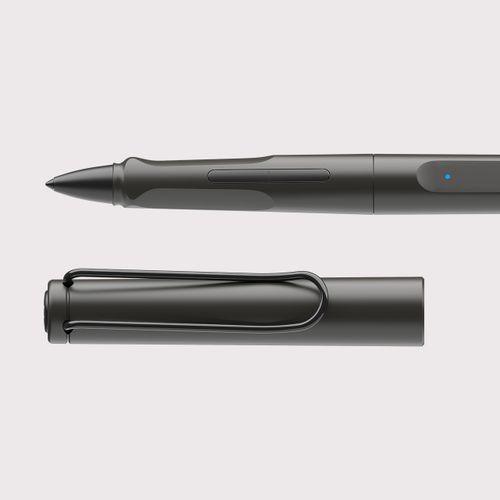
Clip & cap
The cap of the LAMY safari note+ protects its tip; the self-springing clip holds it securely in place.
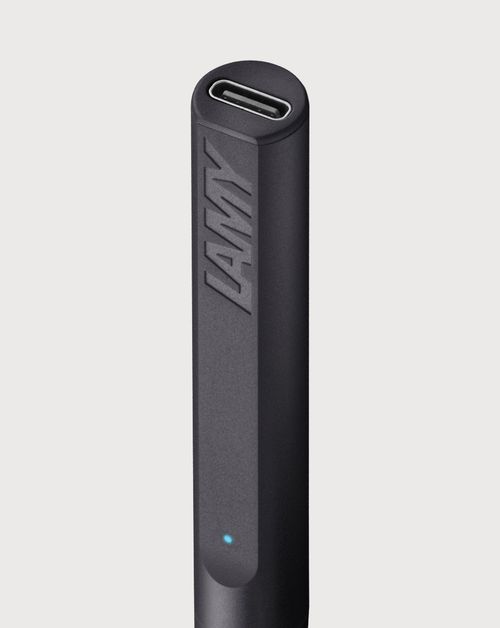
Long battery life
The LAMY safari note+'s battery lasts up to 10 hours and can be recharged to 100 per cent within 1 hour via its USB-C port.
And even more features of the LAMY safari note+
Get started right away
Thanks to its use of Apple's “Pencil Protocol”, most of the LAMY safari note+'s features require no installation or configuration: simply switch it on and get started straight away!
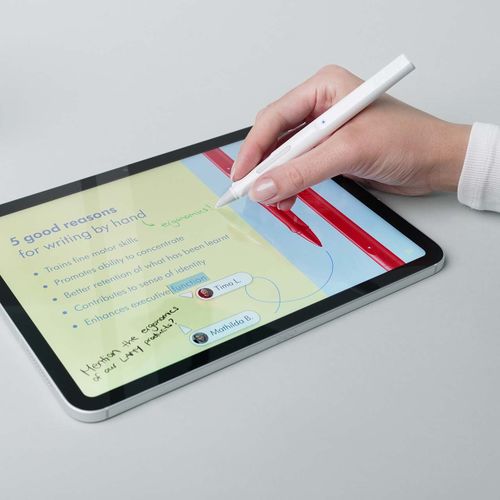
Compatible with iPads from 2018
Thanks to its use of Apple's “Pencil Protocol”, the LAMY safari note+ is compatible with iPads that have been on the market since 2018: a full list of the compatibilities can be found

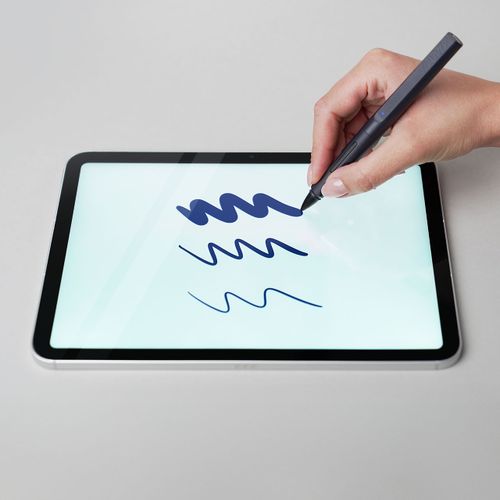
Tilt sensitivity
The tilt sensitivity of the LAMY safari note+ recognises the angle at which it rests on the surface of the iPad and can produce narrow and wide strokes; feature available in all apps.

Palm rejection
The palm rejection function of the LAMY safari note+ can distinguish between the palm and the tip of the pen, thus preventing unintentional marking or scrolling; feature available in all apps.

Configurable function buttons
The LAMY safari note+ has two function buttons that can be assigned individually. This function is only available in partner apps.

Pressure sensitivity
Different line thicknesses can be created by pressing the LAMY safari note+ with varying force on the surface of the iPad when writing, colouring or drawing; feature only available in partner apps.
Status display via LED light
The LED light on the LAMY safari note+ indicates the battery charge level and the status of pairing with apps. Pairing takes place via Bluetooth and is only available in partner apps.
The best apps for the LAMY safari note+
Open up the variety of features in digital writing and unleash the full potential of the LAMY safari note+, the pen for Apple tablets, with the right apps – discover apps for note-taking, organising and calculating, for designing, drawing and sketching, for playing, painting and composing.
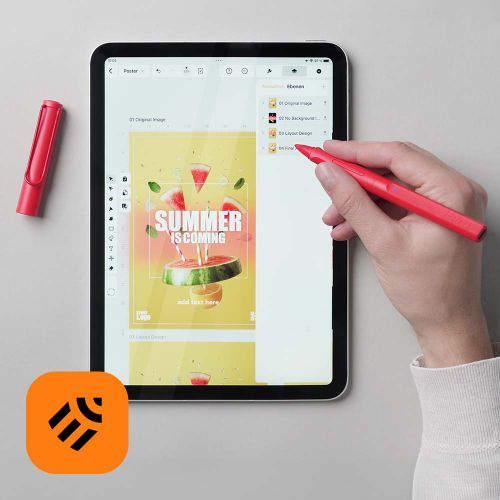
Linearity Curve
Linearity Curve is a most convenient platform for efficient, high-quality graphic design – at the office or on-the-go.

Linearity Move
Linearity Move lets you produce high-quality vector animations in-house in minutes.


Calculator Max
Calculator Max makes both simple and complex calculations easy. It offers calculators in one carefully designed, uncluttered and easy-to-use package.
Discover the possible applications
The possible uses of LAMY digital writing instruments are almost unlimited. They give every personality, every attitude to life and every message its own individual form of expression. Let our pen for iPad inspire you, too!
Jotting down, taking notes, recording
The main requirements of a pen: writing down thoughts, visualising ideas, recording findings and results. Requirements that LAMY writing instruments have reliably fulfilled for decades are now also available on an Apple iPad with the familiar writing feel of the LAMY safari note+.
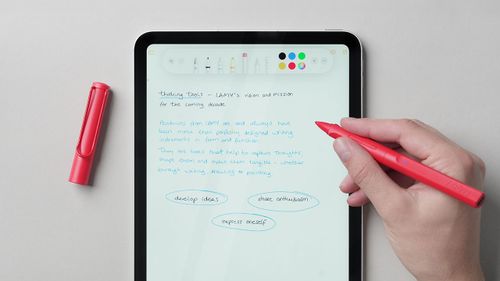
Arranging, organising, structuring
In project management, in event planning, in production management; as an account manager, as a quality assurance officer, as a supply chain manager; in management consultancy, in legal advice and in financial advice – with its function buttons, the LAMY safari note+ simplifies your digital workflows as an input pen on an iPad.
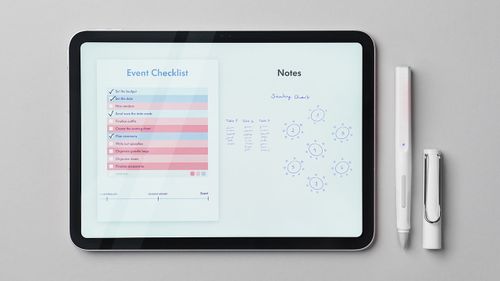
Mindmap, brainstorm, moodboard
Sketching ideas, visualising motions and developing concepts: thinking tools help to concretise thoughts and put them on paper – or in the app. The LAMY safari note+ transports the benefits of writing by hand into the digital world.

Abc and multiplication tables
Discover the possibilities and benefits of handwritten learning in a digital environment with a writing instrument that fits perfectly in your hand. Let your students immerse themselves in interactive learning worlds with the benefits of the analogue and digital worlds in perfect harmony – and the low-noise, soft tip of our stylus.

Unit group and presentation
Sharing tasks in a group, working collaboratively on papers and presentations – activities from every student’s everyday life for which a digital pen like the LAMY safari note+ is perfect because it sits ergonomically in the hand.

Reading, extracting and citing
Researching sources, processing secondary literature and reading texts: the individually configurable function buttons of the LAMY safari note+ are a great help here for quickly shortening work processes.

Graphic design and user interface
The precise stylus tip of the LAMY safari note+ ensures a quiet writing experience and a very natural writing feel. Individually assignable function buttons facilitate the workflow – whether for opening the context menu, selecting tools or changing layers.

Plans, 3D models and renderings
Enjoy the comfort of creating technical drawings or modelling renderings in 3D – tasks for which the LAMY safari note+ sits perfectly and comfortably in your hand thanks to its ergonomic design.

Scores and compositions
Whatever the instrumentation and whatever the key – with the LAMY safari note+, sheet music becomes a hit. The clip on the cap ensures that it does not roll away when you put it away for the next chord.

Next level gaming
Enjoy the comfort that the Lamy safari note+ offers you to take your gaming experience to a new level. Thanks to the special ergonomics, you can play for hours on end. Whether it is a card game or a strategy quest – all with the precision of the LAMY safari note+ iPad pen.
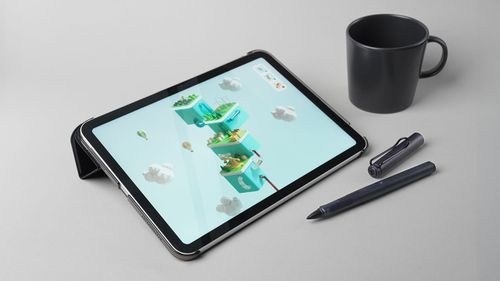
Colouring and finishing
Experience the calming effect of colouring mandalas or painting by numbers. Express your creativity with the special precision and accuracy of the LAMY safari note+ and immerse yourself in a state of calm and serenity.
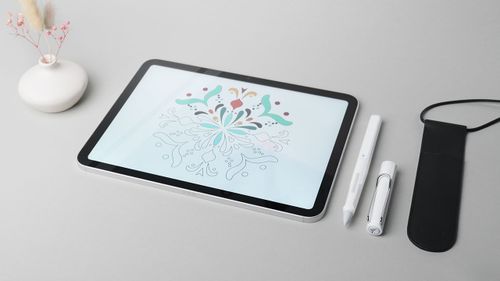
How the LAMY safari note+ works

Setup and commissioning is very simple
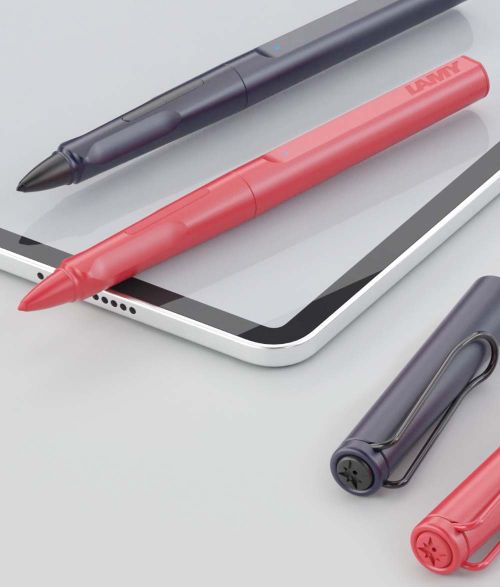
Just get started!
Easy commissioning and great compatibility:
Is your iPad younger than 2018 running iOS 12.2 or higher?
Apple Pencil or other styluses are disconnected
Switch on your LAMY safari note+ and get started!

Always up to date
The LAMY safari note+ is the first digital writing instrument from LAMY for iPads – and it always stays up to date! With our “LAMY safari note+” app, you can keep it up to date at all times.
Download the App
Compatibility check
The LAMY safari note+ is compatible with iPads released since 2018. A detailed list of all exact models can be found in this table:
6. Gen., 9.7" ("iPad 9.7") | 7. Gen., 10.2" ("iPad 2019") | 8. Gen., 10.2" ("iPad 2020") | 9. Gen., 10.2" ("iPad 2021") | 10. Gen., 10.9" ("iPad 10") | 11. Gen., 11" ("iPad A16")
3. Gen., 11" & 12.9" | 4. Gen., 11" & 12.9" | 5. Gen., 11" & 12.9" ("M1 iPad Pro") | 6. Gen., 11" & 12.9" ("iPad Pro M2")
3. Gen., 10.5" | 4. Gen., 10.9" | 5. Gen., 10.9" ("iPad Air M1") | 7. Gen., 11" & 13" ("iPad Air M3")
5. Gen., 7.9" ("iPad mini 5") | 6. Gen., 8.3" ("iPad mini 6")
FAQs about the LAMY safari note+ in detail
The LAMY safari note+ works with and in all apps. Only pressure sensitivity and the individual assignment of the function keys are possible in certain partner apps. A current list of these apps can be found here: https://lamy.com/noteplus
We are always working on expanding this list even further.
The main differences between the LAMY safari note+ and the Apple Pencil products are...
- the ergonomic hand design of the LAMY safari note+
- the iconic cap with temples, which – when put on – protects the tip and the LAMY safari note+ from unintentionally rolling away
- the replaceable tip, which, thanks to its special nature, allows writing to be less noisy
- the ability to load the LAMY safari note+ while writing
The LAMY safari note+ is compatible with almost all iPad models, these are iPad (6th, 7th, 8th, 9th, 10th), iPad mini (5th, 6th), iPad Air (3rd, 4th, 5th), iPad Pro 11" (1st, 2nd, 3rd, 4th), iPad Pro 12.9" (3rd, 4th, 5th, 6th). A current list can always be found here: https://lamy.com/noteplus
All functions of the LAMY safari note+, except for the pressure sensitivity and the assignment of the function buttons, work immediately and without any installation or configuration on any compatible iPad. It is important that neither an Apple Pencil nor a stylus from another manufacturer is paired with the iPad. Please unpair them first.
It is difficult to give precise information as this depends very much on individual handling and use.
Battery & Charging
Insert one plug of the included cable (USB-C to USB-A) into the socket at the top of the LAMY safari note+ and the other plug into a standard power supply with a USB-A socket. In principle, charging on a laptop or iPad is also possible. Please note that the stated charging times for a full charge refer to charging with a power adapter. The exact specifications for a suitable power supply are: 5 V DC, min. 0.5 A, max. 3 A (15W).
Yes. Charging directly on the iPad is possible in principle, but not with the cable included in delivery.
Yes.
With continuous use, the battery lasts about 10 hours. Please note, however, that – as with any battery – performance can decrease over time.
If the LED on the LAMY safari note+ lights up constantly red, this means that its battery level is at 20% or lower. Please recharge your LAMY safari note+.
Insert one plug of the included cable (USB-C to USB-A) into the socket at the top of the LAMY safari note+ and the other plug into a standard power supply with a USB-A socket. In principle, charging on a laptop or iPad is also possible. Please note that the stated charging times for a full charge refer to charging with a power adapter. The exact specifications for a suitable power supply are: 5 V DC, min. 0.5 A, max. 3 A (15W).
No.
When the LAMY safari note+ is charging, its LED flashes orange.
If the LAMY safari note+ is charged and connected to a power supply, its LED lights up green. If it is disconnected from the power supply, its LED lights up or flashes blue again.
Not necessarily. After 15 minutes of inactivity, the LAMY safari note+ switches off automatically to save battery power.
The exact specifications for a suitable power supply are: 5 V DC, min. 0.5 A, max. 3 A (15W).
Deep discharge of a battery can occur if the battery of an electronic device has not been used for a long period of time; in the case of the LAMY safari note+, a “long time” is approximately 6 to 8 months. To prevent deep discharge and to ensure a long battery life, it is advisable to use and charge the LAMY safari note+ at least once a month. Charging processes at ambient temperatures below 10°C and above 40°C should be avoided and should be an exception.
Device details
Yes, the tip of the LAMY safari note+ is replaceable in the event of damage or wear and is available as a single spare part. The replacement can be carried out independently.
To replace the tip of the LAMY safari note+, it is best to pull it out with your thumb and index fingernail. Insert the new tip into the opening at the bottom of the LAMY safari note+.
The LAMY safari note+ was developed in collaboration with our partner Adonit. LAMY develops exclusively in Heidelberg in Germany, Adonit is based in Taipei, Taiwan.
The LAMY safari note+ is currently available in the following colors:
- all black
- steel black
- white
- red
Replacement tips are included in delivery. Additional replacement tips for the LAMY safari note+ can be purchased from specialist retailers or directly from the LAMY eShop.
No.
Yes.
The special features of the LAMY safari note+ are...
- the ergonomic hand design of the LAMY safari note+
- the replaceable tip, which, thanks to its special nature, allows writing to be less noisy
- the iconic cap with temples, which – when put on – protects the tip and the LAMY safari note+ from unintentionally rolling away
- its two completely individually configurable function buttons
A replacement cap can be purchased at the LAMY safari note+ sales point or directly in the LAMY eShop.
Unfortunately, engraving the LAMY safari note+ is currently not logistically possible for private customers. For individualization solutions in the business customer area, please contact: https://www.lamy-business.com/
The tip of the LAMY safari note+ can be pulled out and replaced with your thumb and forefinger nail or tweezers without screwing movements.
All LAMY safari cap models/writing instruments with a cap look the same from above. So that you can immediately see from this perspective which writing instrument you want to remove, we have put codes in the form of simple characters on the caps. Cross for fountain pens, line/slot for rollerball pens, compass star for digital writing instruments and slot with circle for ink cartridge rollerballs.
No.
How it works
The LAMY safari note+ is switched on by briefly pressing the lower function button once.
The LAMY safari note+ is switched off with a single long press (approx. 5 seconds) on the top function button.
On the one hand, the shape of the tip itself is severely deformed, deformed, and worn on one side. It should be replaced. Due to this, but also due to other factors that may not be clearly visible, the quality of use (font, precision, latency, etc.) may be impaired. This is the right moment for a tip change.
The cap provides maximum protection for the tip against external influences, at least while the LAMY safari note+ is not being used.
So no special precautions need to be taken. When switched on, the LAMY safari note+ can be used on several iPads at the same time, just like a LAMY safari fountain pen can be used in several notebooks at the same time: just start writing.
All functions of the LAMY safari note+ except for the assignment of the function buttons work immediately and without any installation or configuration on any compatible iPad. It is important that neither an Apple Pencil nor a stylus from another manufacturer is paired with the iPad. Please unpair them first.
To unpair Apple Pencil from your iPad, you can follow the steps below:
1. Go to "Settings" on your iPad.
2. Tap "Bluetooth".
3. Look for "Apple Pencil" in the list of paired devices.
4. Tap the info icon (i) next to the "Apple Pencil" entry.
5. Select "Ignore this device" or "Forget this device" to unpair the Apple Pencil from your iPad.
After you complete these steps, Apple Pencil will no longer be connected to your iPad and can be re-paired if you decide to use it again later.
No. The LAMY safari note+ does not have a module for recording, analyzing or storing handwriting or the content written with it.
The drop in the line is not due to a weak or broken connection, but to the contact of the tip, which in some cases may have become loose during transport. Simply pull out the tip and reinsert it.
Installation & Configuration
The function buttons are configured within the respective app. Where the corresponding menu item can be found can vary from app to app. This can usually be found in the settings within the app.
All functions of the LAMY safari note+ except for the assignment of the function buttons and the pressure sensitivity work immediately and without any installation or configuration on any compatible iPad.
When it comes to the function buttons, however, our goal was to give both our users and the respective apps as much freedom as possible. The best and most sensible function assignment for the buttons can vary greatly from user to user and from app to app. You can therefore configure the functions of the buttons in the respective apps yourself.
A list of all apps in which the function buttons can be configured can be found here: https://lamy.com/noteplus
All functions of the LAMY safari note+ except for the assignment of the function buttons and the pressure sensitivity work immediately and without any installation or configuration on any compatible iPad.
When it comes to the function buttons, however, our goal was to give both our users and the respective apps as much freedom as possible. The best and most sensible function assignment for the buttons can vary greatly from user to user and from app to app. You can therefore configure the functions of the buttons in the respective apps yourself.
A list of all partner apps where the function keys can be configured can be found here: https://lamy.com/noteplus
The most common reason for this is that either an Apple Pencil or a third-party stylus is paired with the iPad. Disconnect and please try again.
Pairing with an app to specifically configure the function buttons works best if the app is first opened and then the LAMY safari note+ is turned on.
Yes. For logistical reasons, the information about the color of the LAMY safari note+ is not stored in its firmware when the device is delivered. In all apps in which the function keys can also be configured, the displayed color can be selected in the settings for the LAMY safari note+.
All functions of the LAMY safari note+ except for pressure sensitivity and the assignment of the function buttons work immediately on any compatible iPad without any installation or configuration. It is important that neither an Apple Pencil nor a stylus from another manufacturer is paired with the iPad. Please unpair them first.
The LAMY safari note+ is paired in the settings of the respective app. The exact location may vary from app to app.
Pairing is only possible and necessary in apps from our partners. A list of these apps can be found here: https://lamy.com/noteplus
Compatibility
Compatible iPad models must have at least iOS 12.2 or higher versions of iOS installed. Later versions can also be versions of iPadOS.
No.
The information about the version of the operating system on an iPad can be found as described here: https://support.apple.com/de-de/HT201685
The LAMY safari note+ - like the Apple Pencil - is only compatible with iPads, as Apple's corresponding protocol stipulates. From the introduction of iPads until around 2019, iPads also ran on the iOS operating system; since around 2019, Apple has been developing its own operating system for iPads, iPadOS. Since it is our aim to keep the LAMY safari note+ backwards compatible for several years, it is even compatible with iPads that do not yet run iPadOS but rather iOS, namely version 12.2 or higher.
The LAMY safari note+ - like the Apple Pencils - works directly on the iPad display as well as on foil as long as the foil is not thicker than 0.095 millimeters. Display films from the Paperlike brand, for example, meet this criterion.
No. The LAMY safari note+ - like the Apple Pencil - is only compatible with iPads; this is what the corresponding “Apple Pencil Protocol” provides.
No, it doesn't lock. The reason for this is the resulting overall length of the LAMY safari note+ and the shift in the ideal point of balance.
Yes. This is because all functions of the LAMY safari note+, except for the assignment of the function buttons and the pressure sensitivity, work immediately and without any installation or configuration on any compatible iPad. It is important that neither an Apple Pencil nor a stylus from another manufacturer is paired with the iPad. Please unpair them first.
When Apple introduces new operating systems, incompatibilities may theoretically arise in the future. We always strive to remain compatible with new iPad models and versions of the iPad operating system iPadOS. However, it cannot be ruled out in the future that Apple will introduce changes or new features that limit the compatibility of third-party products.
Yes.
Legal
The warranty period valid and stipulated by law in the respective countries applies.
No.
However, no general statement can be made about which data is collected or not collected for use within the apps used. Please see the data protection declaration of the respective app.
LAMY pays the applicable disposal tax in each country. The LAMY safari note+ can be disposed of in every country and region in accordance with the regulations for the disposal of small electrical devices. Please find out about the relevant requirements and options on site.
Range of digital writing instruments
No, unfortunately that is not possible. Different technologies and communication protocols are used for different tablets from different manufacturers.
More information about the product range in the digital writing area can be found here: https://shop.lamy.com/digital-writing
LAMY also offers other digital writing instruments that are compatible with a variety of other tablets. Further information about all LAMY digital writing instruments can be found here: https://shop.lamy.com/digital-writing
Writing on digital surfaces is the natural evolution of writing by hand. To date, however, there is no other manufacturer of digital writing instruments that, in addition to the technical aspect, also has mastered hand ergonomics, which is so important for healthy and fatigue-free writing.
The LAMY safari note+ is available in the LAMY eShop, the LAMY flagship stores and of course in specialist retailers. Here is the link to the LAMY eShop: https://lamy.com/noteplus
A stylus for the iPad from LAMY: Digital writing perfected
In a world that’s spinning ever faster, one thing remains constant: the need to capture thoughts, sketch out ideas and bring them to life.
But instead of traditional paper, we now often use the glass screen of our iPad.
If you’re looking for a stylus for your iPad, it’s all about innovative functionality, a comfortable writing experience, ergonomics and stylish design.
We offer you the distinctive aesthetic you’ve come to expect from our analogue LAMY writing instruments.
If you’re looking for an alternative to your Apple Pencil, you’ll find it here: our LAMY safari note+ Digital Writing Pen for the iPad bridges the gap between analogue charm and digital efficiency.
Why a LAMY iPad stylus is the ideal choice
Many users are looking for an alternative to their Apple Pencil because they find the original’s thin, smooth shape tiring and not very ergonomic. Many users also find the writing experience of an Apple iPad stylus rather “unnatural”. A good alternative to the Apple Pencil must therefore not only keep up technically, but also prioritise writing comfort. This is where LAMY comes in.
Why a LAMY iPad stylus is the ideal choice
Our digital Apple iPad stylus, such as the LAMY safari note+, is based on the iconic design of our LAMY safari classics and is available in several striking colours.
For you, this means:
Tried-and-tested ergonomic grip grooves: No slipping, no cramped finger or hand position.
Familiar balance: The pen’s weight is balanced so that even long sessions of work feel effortless.
High-quality materials: Durable plastic
Intuitive operation: With two configurable function buttons.
Natural, familiar writing feel: The soft, replaceable tip provides gentle resistance on the glass, whilst the pressure and Tilt sensitivity of the iPad pen give you maximum creative freedom.
Smart technology: Thanks to Palm rejection, you can rest your hand on the iPad completely relaxed without making unintended inputs or scrolling unintentionally.
Ready to use straight away: No complicated setup required: You can start writing on your iPad with the Stylus immediately after switching it on, as soon as you’ve disconnected your Apple Pencil or other Stylus from Bluetooth. Simply switch it on and get started, provided your iPad is a model from 2018 or later and runs on iOS 12.2 (or higher). With our “LAMY safari note+” app, you can keep it up to date at all times.
Well-thought-out design: The self-spring-loaded clip holds the iPad stylus securely to your bag or case, whilst the cap protects the delicate stylus tip from damage.
Long-lasting: With up to 10 hours of battery life, you’ll easily get through the day. Charging is modern and fast, taking just one hour via USB-C.
Included in delivery: Everything you need to get started. Along with your LAMY safari note+ iPad stylus, you’ll receive 2 replacement nibs and a USB-A to USB-C charging cable.
Experience it for yourself: when you choose an iPad stylus that feels like a real fountain pen in your hand, it changes the way you work.
The LAMY stylus for the iPad: compatible with most iPad models
Compatibility is key when buying a LAMY iPad stylus. Whether you own a brand-new iPad or need a stylus for an older generation of iPad, the first thing to check is whether your iPad model is compatible with the LAMY safari note+.
Thanks to the use of Apple’s “Pencil Protocol”, the LAMY safari note+ is compatible with all iPads released since 2018.
For the latest generations: LAMY safari note+ as an Apple Pencil Pro alternative
With the latest updates to the iPad range, the demands on accessories have also increased. Anyone looking for an alternative to the Apple Pencil Pro values precision and pressure sensitivity. Our solutions are designed to reproduce the subtle nuances of your handwriting exactly.
The LAMY safari note+ is fully compatible with the following iPad Pro generations:
iPad Pro 11": Compatible with the 1st, 2nd, 3rd, 4th and 5th generations.
iPad Pro 12.9": Compatible with the 3rd, 4th, 5th (M1 iPad Pro) and 6th (iPad Pro M2) generations.
As an iPad Air stylus
The LAMY safari note+ supports the following generations:
iPad Air 3rd Gen., 10.5‘:
iPad Air 4th Gen., 10.9’:
iPad Air 5th Gen., 10.9‘ (iPad Air M1)
iPad Air 7th Gen., 11’ & 13" (iPad Air M3)
As a stylus for iPads from the 6th to the 11th generation
The LAMY safari note+ supports all models in this series released since 2018:
iPad 6th Gen., 9.7‘
iPad 7th Gen., 10.2’
iPad 8th Gen., 10.2"
iPad 9th Gen., 10.2‘
iPad 10th Gen., 10.9’
iPad 11th Gen., 11"
As a stylus for the iPad mini
Thanks to its ergonomic shape, the LAMY safari note+ is the perfect companion for mobile working on a small screen.
It supports the following generations of the iPad mini series:
iPad mini 5th gen., 7.9‘: The model (’iPad mini 5‘)
iPad mini 6th gen., 8.3’: The ‘iPad mini 6’)
Precision thanks to the iPad pen tip
A critical factor for any iPad pen is the point of contact with the display. The iPad pen tip determines whether the writing experience feels ‘slippery’ or natural.
Glide: Our tips are designed to glide smoothly over the glass without scratching it.
Precision: Whether drawing fine lines in graphic design or making small corrections in a PDF, the iPad pen responds instantly and precisely.
Durability: We know that writing instruments are everyday tools. That’s why the iPad pen tip is interchangeable when needed, ensuring your LAMY safari note+ writes like new for years to come.
Writing, drawing, planning: your everyday digital life with the iPad stylus
Writing on an iPad with a stylus has revolutionised the office, the classroom and the lecture theatre. But what makes the iPad stylus so indispensable in everyday life? It’s the wide range of uses it offers. For example:
Taking notes, writing down lecture notes and recording (for students)
Students often look for a stylus for their iPad to take notes during lectures. With a LAMY iPad stylus, note-taking is actually fun, as your hand doesn’t tire even after hours of lectures.
Creativity without limits
For artists and creative designers, the LAMY stylus for the iPad is a tool for self-expression. The pressure sensitivity and tilt recognition allow for shading and line thicknesses that are every bit as good as those of a traditional pen.
Business and document management
Signing digital contracts, adding notes to presentations or quick brainstorming in teams – the LAMY pen for iPad simplifies all your digital workflows with its function keys, particularly when it comes to organisation and planning.
Durability and quality: The LAMY promise
When you buy a LAMY iPad pen, you are investing in a product with a tradition of high quality. Whilst many opt for disposable products, LAMY stands for durability:
Repairability & spare parts: Just like our classic fountain pens, our digital versions are also designed to last. We also offer spare parts for all our writing instruments.
Timeless design: A LAMY pen never goes out of fashion. It is a statement of style and functionality.
High Quality: We manufacture in Heidelberg to the highest quality standards.
FAQ
You can generally use two types of stylus with an iPad: the original Apple Pencil or a high-quality Apple Pencil alternative. If you value ergonomics and a natural writing experience, LAMY’s digital writing instruments are the ideal choice. Our styluses use advanced technologies to enable precise input.
Compatibility depends on your iPad model. There are essentially three standards:
Apple Pencil 1 (or alternative): Suitable for older models and the 10th-generation iPad.
Apple Pencil 2 / Pro (or alternative): Suitable for modern iPad Pro, iPad Air and iPad mini models.
LAMY Digital Writing: Our pens are designed to work seamlessly with the most recent iPad generations since 2018. When buying a pen for your iPad, please check the compatibility details.
Yes, absolutely! Writing on an iPad with a digital pen is now so precise that it is every bit as good as a traditional notepad. Thanks to modern sensor technology, the iPad not only detects pressure but often also the angle of the pen.
With a high-quality iPad pen tip from LAMY, the pen glides smoothly and precisely across the screen, allowing you to create handwritten notes, sketches or digital signatures effortlessly and without delay.